7 Easy CNIC Address Update Steps 2026: Stay Accurate & Avoid Issues
Introduction to CNIC Address Update Steps 2026
CNIC Address Update Steps 2026 can help Pakistani citizens understand how to update their residential address on a Computerized National Identity Card through the proper NADRA procedure. If you have moved to a new home, changed cities, or found that your registered address is outdated, keeping your identity information accurate can help prevent confusion during official verification.
The National Database and Registration Authority (NADRA) provides CNIC modification services through its official PakID mobile application and Registration Centres. The appropriate method and supporting documents depend on your application and circumstances. Before submitting a request, check the latest official requirements and make sure you select the address modification service rather than card renewal.
This guide explains seven useful CNIC Address Update Steps 2026, including preparing your information, choosing an application method, understanding fees, tracking your request, and avoiding common mistakes. These practical tips can help you prepare, but NADRA determines the applicable requirements for each case.
Table of Contents for CNIC Address Update Steps 2026
- Understand the CNIC Address Update Process
- Confirm Your New Residential Address
- Prepare Supporting Documents
- Choose the Correct NADRA Application Method
- Understand CNIC Address Modification Fees
- Avoid Common Address Update Mistakes
- Track Your CNIC Address Update Application
- CNIC Address Update Comparison Table
- CNIC Address Update Processing-Time Graph
- Frequently Asked Questions
- Conclusion
1. Understand CNIC Address Update Steps 2026
The first of these CNIC Address Update Steps 2026 is to understand the difference between renewing a CNIC and modifying its address. Renewal generally applies when your card is approaching expiry or has expired. Address modification is used when your registered residential details need to be updated.
If you have moved to another house, neighbourhood, or city, first check the official NADRA instructions for changing your address. The procedure may depend on the information you want to update and the evidence required for your case.

Do not assume that your address will automatically change when you update it with a bank, mobile company, or another service provider. Those organisations maintain their own records, and changing your CNIC details may not update every separate account automatically.
2. Confirm Your New Address Before Applying
An important part of CNIC Address Update Steps 2026 is confirming that the address you intend to submit is accurate. Check the house or flat number, street, locality, city, and any other details requested by the official application.
If you have recently moved, make sure you understand whether NADRA requires supporting evidence for your particular address change. The accepted evidence may depend on the case, so do not rely on an unofficial list of documents as a guarantee.
Check the address for spelling mistakes before submitting the request. An incorrect house number or locality name could cause confusion in your records or delivery arrangements. If the form uses specific address fields, enter each part in the appropriate place.
It is also useful to keep a copy of any supporting information you submit. Store it securely rather than sharing it publicly or sending it to unknown people who claim they can update your CNIC faster.
3. Prepare Supporting Documents for CNIC Address Update Steps 2026
Preparing the correct information is one of the most useful CNIC Address Update Steps 2026. Depending on the type of modification, NADRA may ask for your existing CNIC and supporting evidence relevant to your new address. The exact documents accepted can vary according to your circumstances and the current rules.
Before applying, visit NADRA’s official website or consult an authorised Registration Centre to confirm what is required. If you are unsure whether a particular document is accepted, ask before submitting your application. This can help reduce the risk of an incomplete request.
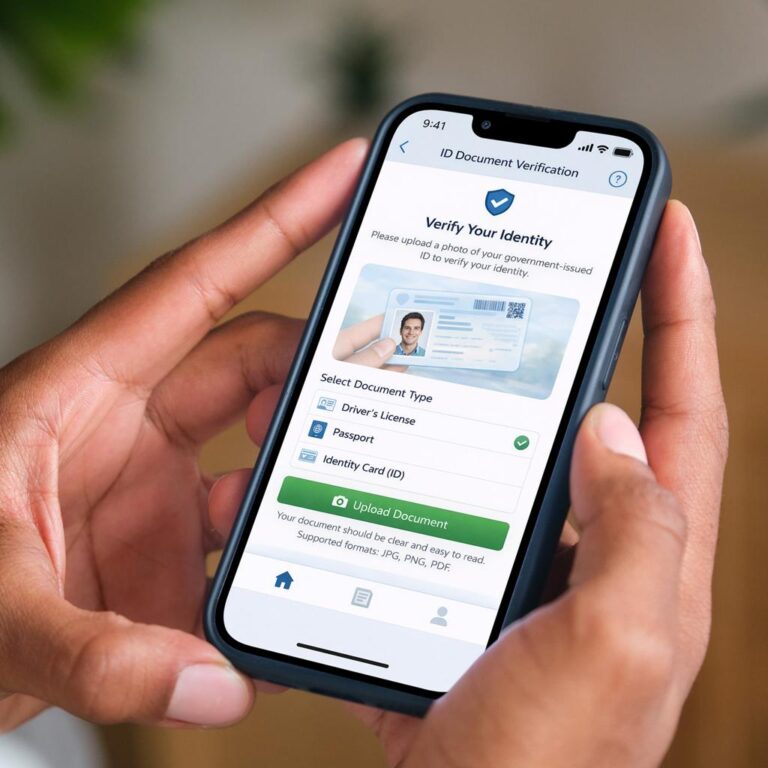
If you need to upload a document through PakID, make sure it is clear and readable and follows the instructions shown in the application. Do not alter documents or provide information that you cannot support. Accurate details and appropriate evidence are more important than trying to complete the application in a hurry.
Keep your original documents secure and submit copies only through the official process where requested. Never post your CNIC photograph or sensitive address documents on public social media pages.
4. Choose the Correct NADRA Method for CNIC Address Update Steps 2026
NADRA offers identity-document modification services through its official PakID mobile application, and applications can also be handled through Registration Centres when required. The best method depends on your circumstances and the instructions provided for your application.
CNIC Address Update Steps 2026 Through PakID
Start by downloading the official PakID application from a trusted app store. Sign in or create an account according to the official instructions, then select the relevant CNIC modification service. Enter your current information and the address you want to update, and follow the steps for supporting documents and payment.

Review all fields before submitting the application. If the system requests additional verification, a photograph, or an in-person visit, follow those instructions. Not every application can necessarily be completed entirely online.
CNIC Address Update Steps 2026 at a NADRA Registration Centre
If you prefer in-person assistance or the application directs you to visit a centre, check the official instructions before travelling. Take your existing CNIC and the supporting information required for your specific case.
Explain that you want to update your residential address and ask which modification category applies. Before leaving, confirm whether any further documents or verification steps are required. This may help you avoid an unnecessary second visit.
5. Understand Fees for CNIC Address Update Steps 2026
Before submitting an application, check NADRA’s current fee structure. The official fee page lists standard CNIC modification fees according to processing category. An address update is generally handled as a modification, but you should confirm the applicable category for your specific document.
| Processing category | Published standard CNIC modification fee | Published processing time |
|---|---|---|
| Normal | PKR 400 | 15 days |
| Urgent | PKR 1,150 | 12 days |
| Executive | PKR 2,150 | 6 days |
These figures reflect the standard CNIC modification category currently listed on NADRA’s fee page. Smart CNIC modification fees and timelines are different. Confirm the current amount before paying, because official fees and procedures can change.
The published processing time is not a guarantee that every application will be completed within that period. Incomplete information, additional verification, or other case-specific requirements may affect processing. Choose the category that suits your needs and budget, and use only official payment methods.
6. Avoid Common Mistakes in CNIC Address Update Steps 2026
The most effective CNIC Address Update Steps 2026 include checking the application carefully before submission. Review the new address, spelling, house number, and city details. Make sure you have selected modification rather than renewal if your purpose is to update your residential information.
Avoid uploading unclear documents or leaving required fields incomplete. If the application asks for evidence, make sure the submitted material meets the official instructions. Do not assume that an application has been accepted simply because you have completed an online form.
Another mistake is relying on unofficial agents who promise guaranteed approval or an unusually fast address change. Such claims may be misleading and can put your personal information at risk. Use NADRA’s official website, PakID app, or authorised Registration Centre instead.
Keep your application reference and payment receipt in a safe place. These details may help you check the status of your request or seek assistance if a problem occurs.
7. Track Your CNIC Address Update Application
After submitting your request, use the tracking method provided by NADRA or the official PakID application. Keep your application reference available and check for any messages asking you to provide further information.
If your application takes longer than the published timeline, review the current processing guidance and contact NADRA through its verified support channels. Do not submit repeated applications unless NADRA instructs you to do so, because duplicate requests may create confusion.
Be cautious of unsolicited messages claiming that your application will be cancelled unless you pay an additional fee through a private link. Verify unexpected requests independently through NADRA’s official channels before clicking links or sharing sensitive information.
After receiving your updated card, check the printed address and other information carefully. If you notice a mistake, contact NADRA to ask about the correct resolution procedure.
8. CNIC Address Update Steps 2026 Comparison Table
The following table compares the main application routes and common considerations. It is a general guide rather than a guarantee of eligibility or completion time.
| Application route | Main advantage | Important consideration |
|---|---|---|
| Official PakID app | Convenient online application options | Additional verification may be required |
| NADRA Registration Centre | In-person guidance | Travel or waiting may be necessary |
| Normal processing | Lower published standard CNIC modification fee | Longer published timeline |
| Urgent processing | Shorter published timeline | Higher fee |
| Executive processing | Shortest listed timeline for standard CNIC modification | Highest fee among these categories |
For many eligible applicants, the official PakID app is a convenient starting point. If your circumstances are unusual or you are uncertain about the supporting evidence, confirm the procedure with NADRA before applying.
9. CNIC Address Update Steps 2026 Processing-Time Graph
The following text graph illustrates the published processing timelines for standard CNIC modification. It compares the number of days listed for each category.
Published processing time in days
Normal: 15 days ███████████████
Urgent: 12 days ████████████
Executive: 6 days ██████
This graph represents the currently published timelines for standard CNIC modification, not guaranteed completion dates for individual address updates. Smart CNIC applications have different published timelines, and additional verification may affect the actual processing period.
10. Frequently Asked Questions About CNIC Address Update Steps 2026
Can I update my CNIC address online in 2026?
NADRA’s official PakID application supports CNIC modification for eligible cases. Some applications may require additional verification or a visit to a Registration Centre. Follow the instructions for your particular request.
Which documents are required for a CNIC address change?
Requirements depend on your circumstances and the current NADRA rules. You may need your existing CNIC and supporting evidence for the new address. Confirm the accepted documents through NADRA before applying.
How much does a CNIC address update cost?
NADRA currently lists standard CNIC modification fees as PKR 400 for Normal, PKR 1,150 for Urgent, and PKR 2,150 for Executive processing. Smart CNIC modification fees are different. Check the official fee page before payment.
How long does a CNIC address update take?
The published timelines for standard CNIC modification are 15 days for Normal, 12 days for Urgent, and 6 days for Executive processing. Actual completion may vary according to verification and application requirements.
Do I need to update my CNIC after moving to another city?
If your registered residential address needs to change, check NADRA’s official modification procedure and the applicable requirements. Keeping records accurate can help reduce confusion during future verification.
What should I do if the updated address is incorrect?
Contact NADRA through its official support channels and explain the error. Ask which correction procedure applies before submitting another application or paying another fee.
Conclusion: Follow CNIC Address Update Steps 2026 to Avoid Issues
Following these CNIC Address Update Steps 2026 can help you prepare for an address change with fewer mistakes. Confirm your new address, check the supporting-document requirements, select the correct modification service, review the current fee structure, and track your application through official NADRA channels.
Avoid sharing your personal information with unverified agents, and do not rely on promises of guaranteed approval or faster delivery. Once your updated CNIC arrives, check the address carefully and keep the card secure.
Official NADRA source: https://www.nadra.gov.pk/identityDocument/cnic?action=modify
Disclaimer: CNICUpdates is an independent informational website and is not an official NADRA service. Requirements, fees, and processing times may change. Verify all important details with NADRA before applying or making a payment.