7 Helpful CNIC Photo Tips: Meet Rules & Avoid Rejection
Focus Keyword: CNIC Photo Tips 2026
Introduction to CNIC Photo Tips 2026
CNIC Photo Tips 2026 can help Pakistani citizens prepare a clear, suitable photograph for their Computerised National Identity Card application and reduce avoidable problems during submission. A photograph is an important part of identity verification, so poor lighting, a distracting background, shadows, or anything covering the face may make it difficult to capture a suitable image.
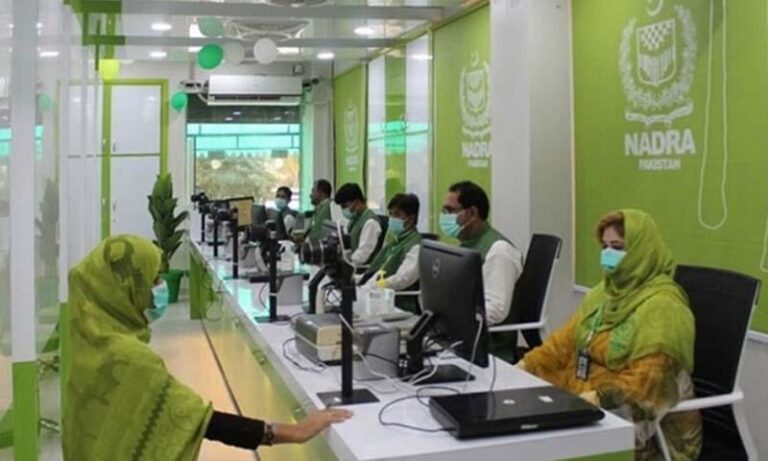
NADRA provides official photograph guidelines, including using a plain background, looking straight at the camera, and keeping the face clearly visible. Applicants using the PakID mobile application should follow the instructions shown during the live photo capture or upload process. Some applications may require a visit to a NADRA Registration Centre for photography or biometric verification. NADRA Photograph Guidelines
This guide explains seven practical CNIC Photo Tips 2026, common photography mistakes, and ways to prepare before submitting your application. These tips can help you prepare, but the final decision depends on NADRA’s applicable requirements and verification process.

Table of Contents for CNIC Photo Tips 2026
- Use a Plain Background for CNIC Photo Tips 2026
- Look Straight at the Camera
- Keep Your Face Clear and Visible
- Choose Proper Lighting
- Follow CNIC Photo Tips 2026 for Clothing and Appearance
- Use the Official PakID Photo Process
- Review Your Photograph Before Submission
- CNIC Photo Preparation Table
- CNIC Photo Mistakes Graph
- Frequently Asked Questions About CNIC Photo Tips 2026
1. CNIC Photo Tips 2026: Use a Plain Background
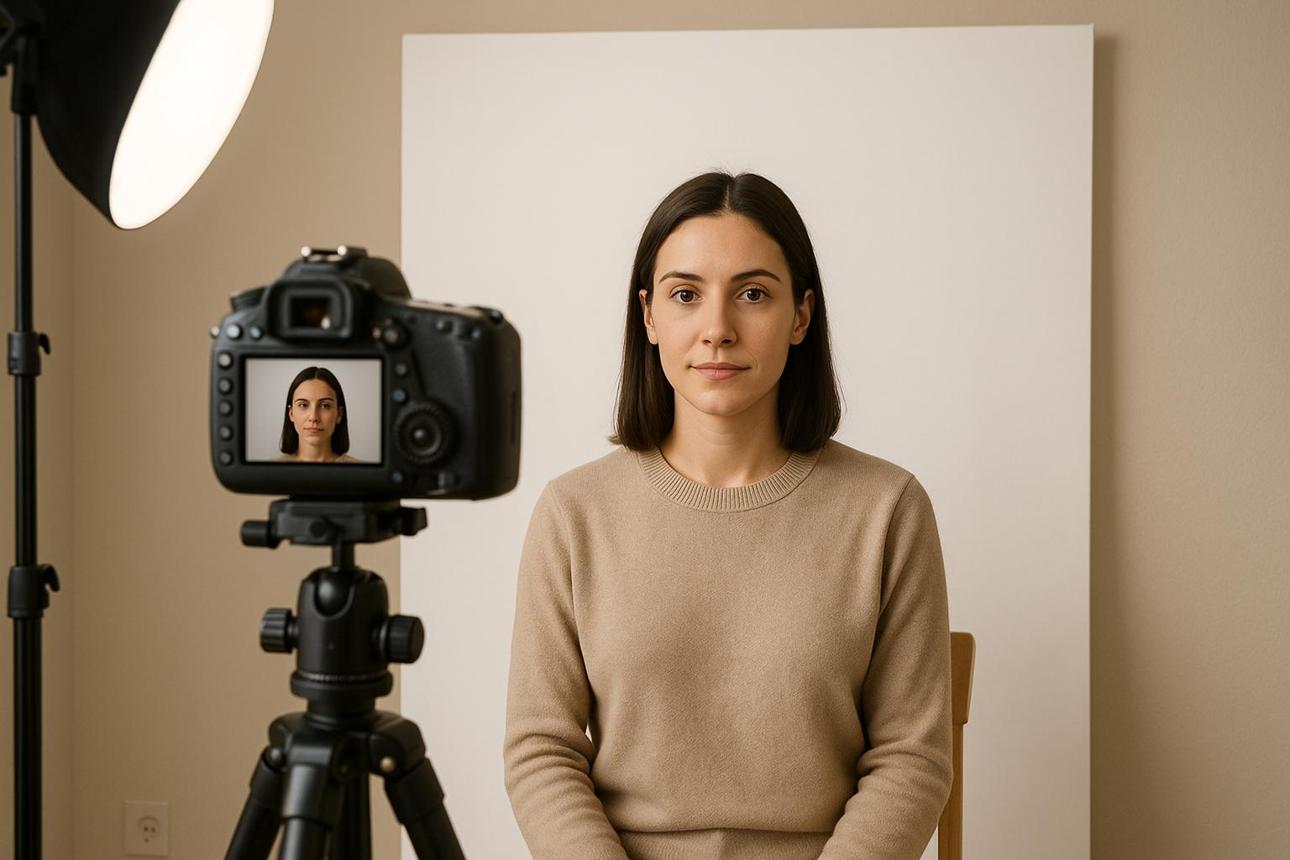
One of the most useful CNIC Photo Tips 2026 is to choose a plain background when taking a photograph yourself for an application that allows photo uploads. A simple background helps keep attention on your face and avoids distracting objects or patterns.
NADRA’s published photograph guidelines instruct applicants to take a photo against a plain background. Avoid busy wallpaper, furniture, posters, bright patterns, or other objects that may make the photograph look cluttered.
Choose a place where the background contrasts naturally with your appearance. Make sure the background is clean and evenly lit, without strong shadows falling behind your head. Do not add artificial backgrounds or use editing tools to create an image that misrepresents your actual appearance.
If the PakID application provides a specific camera or capture screen, follow its instructions rather than assuming that any photograph taken on your phone will be accepted.
A plain background is a simple preparation step that can help produce a clear and professional-looking identity photograph.
2. CNIC Photo Tips 2026: Look Straight at the Camera
The second of these CNIC Photo Tips 2026 is to face the camera directly. NADRA’s photograph instructions say that applicants should look straight into the camera.
Keep your head in a natural, upright position and face forward. Avoid turning your face to the side, tilting your head unnecessarily, or looking away from the camera. A straight-facing position helps make your facial features easier to see.
If you are using a smartphone, place it at a comfortable height and look toward the camera lens rather than at your own image on the screen. Keep the phone steady and avoid taking the photograph while walking or moving.
Do not force an unnatural facial expression. Follow the instructions displayed by NADRA’s official application or the staff member assisting you at a registration centre.
A straight, natural pose can make the photograph clearer and more suitable for identity verification.
3. CNIC Photo Tips 2026: Keep Your Face Clear and Visible
Another important rule among CNIC Photo Tips 2026 is to ensure that your face is not obscured. NADRA’s photograph guidance warns against shadows on the face, hair across the eyes, and objects that block the view of facial features.
Before taking a photograph, check that your hair is not covering your eyes. Make sure scarves, accessories, or other items do not unnecessarily hide the facial features that must be visible under the applicable requirements.
NADRA’s published guidance also says to avoid hats, artificial lenses, glasses, or anything else that obscures the face. If you have a specific religious, medical, or other circumstance, consult NADRA’s current instructions rather than assuming that a particular exception applies.
Avoid using beauty filters, face-smoothing effects, digital reshaping, or edits that change your appearance. The purpose of an identity photograph is to represent the applicant accurately, not to create a heavily edited portrait.

Before submission, check that the full required facial area is visible and that no object or shadow interferes with the image.
4. CNIC Photo Tips 2026: Choose Proper Lighting
Good lighting is another useful part of CNIC Photo Tips 2026. Even when the background and pose are correct, poor lighting can create shadows or make facial features difficult to see.
Choose a well-lit place with even illumination. If you are taking a permitted photo using your phone, avoid placing a bright light directly behind your head because it can make your face appear too dark. Also avoid harsh direct light that creates strong shadows across your eyes, nose, or cheeks.
Natural, indirect daylight can be helpful when it is available. However, make sure the light is balanced and does not cause glare or deep shadows. If you are indoors, adjust your position or lighting before capturing the image.
Do not rely on flash if it produces harsh reflections or an uneven appearance. Check the preview and retake the image if your face appears too dark, washed out, or blurred.
NADRA’s official photograph guidelines specifically mention avoiding shadows on the face. Proper lighting supports that requirement and helps produce a clearer image.
5. CNIC Photo Tips 2026: Follow Clothing and Appearance Guidance
Clothing is worth checking before you take a photograph, but applicants should avoid relying on unofficial rules that may not apply to their particular application.
For CNIC Photo Tips 2026, the most important principle is to follow NADRA’s instructions and keep your face clearly visible. Choose neat clothing that does not cover the facial area or interfere with the photograph. A simple outfit can also help the image look less distracting.
Do not assume that a specific clothing colour is compulsory unless the official instructions for your application say so. Similarly, do not rely on social media claims about exact clothing, makeup, or hairstyle requirements without checking an official source.
NADRA’s published photograph guidance specifically advises against hats and other items that obscure the face. If your circumstances require particular headwear or another accommodation, ask NADRA for guidance about the applicable rules.
Before capturing your photo, check that your clothing is arranged properly, your face is visible, and there is nothing distracting in the frame. Following the actual instructions is more reliable than trying to follow every unofficial photograph tip found online.
6. CNIC Photo Tips 2026: Use the Official PakID Photo Process
NADRA’s PakID mobile application supports eligible identity-document applications and includes live photo capture features. Its official information describes the live photograph process as designed to meet ICAO standards for official identification purposes.
If you are applying through PakID, download the official application, sign in through the correct process, select the relevant service, and follow the on-screen photograph instructions. Grant camera permission only to the genuine application when it is needed for photo capture.
Some services may permit a photograph to be captured or uploaded digitally, while other circumstances may require a visit to a NADRA Registration Centre for photography or biometric verification. The available process can depend on the type of application and your case.
Do not upload someone else’s photograph, use a downloaded image, or try to bypass a live capture requirement. If the application rejects an image or asks you to retake it, read the message and correct the issue rather than repeatedly submitting the same unsuitable photo.
You can check the official NADRA CNIC page and PakID FAQs for current application information.
7. CNIC Photo Tips 2026: Review Your Photograph Before Submission
The final tip is to review the photograph before you submit your application. A quick check can help you spot problems such as blur, poor lighting, a tilted head, or a background that is too busy.
Look at the image preview and confirm that your face is clearly visible, you are facing the camera, and no hair or object covers the required facial area. Check for shadows and make sure the photo has not been altered with filters that change your appearance.
If the application provides specific instructions about image quality, framing, or capture conditions, follow those instructions. Do not assume that a photograph is acceptable simply because it looks good on your phone.
If you cannot obtain a suitable image or the app repeatedly fails to capture it, use NADRA’s official help channels or ask staff at a registration centre for guidance. Avoid paying unofficial agents who promise guaranteed approval.
A final review cannot guarantee acceptance, but it can help prevent common preparation mistakes before you complete the application.
CNIC Photo Tips 2026: Photograph Preparation Table
Use this table as a quick reference before you begin your CNIC application.
| Photograph feature | Recommended preparation | Common problem to avoid |
|---|---|---|
| Background | Use a plain background where permitted | Busy patterns or distracting objects |
| Head position | Look straight at the camera | Turning or tilting the head |
| Face visibility | Keep facial features clear | Hair or objects covering the face |
| Lighting | Use even lighting | Strong shadows or an overly dark face |
| Accessories | Follow NADRA’s current rules | Items that obscure the face |
| Image quality | Keep the photo clear and steady | Blur, filters, or altered facial features |
| Submission | Follow official capture instructions | Uploading an unsuitable or unrequested image |
This table is a preparation checklist, not a substitute for NADRA’s official rules. Follow the instructions shown for your specific application.
CNIC Photo Tips 2026: Common Mistakes Graph
The following illustrative graph ranks common photograph-preparation problems by how easy they are to overlook. These are not official NADRA rejection statistics; they are general examples to help applicants review their photographs.
Illustrative checklist priority
Plain background not checked — High██████████
Face shadows not checked — High█████████
Head position not checked — Medium███████
Hair or objects covering face — Medium██████
Image blur not checked — Medium█████
The bars represent an illustrative review priority, not measured rejection rates. NADRA does not provide rejection percentages in the photograph guidance cited here.
The graph highlights why it is useful to check the background, facial visibility, lighting, and camera position before submission. These checks are simple, but they can help you catch visible problems early.
Frequently Asked Questions About CNIC Photo Tips 2026
What are the most important CNIC Photo Tips 2026?
Use a plain background, look straight at the camera, avoid shadows, keep your face visible, and follow NADRA’s official photo-capture instructions. Review the image before submitting it.
Does NADRA allow glasses in a CNIC photograph?
NADRA’s published photograph guidance advises applicants to avoid glasses, artificial lenses, hats, and other items that obscure the face. Check the current official instructions if you have a medical or other special circumstance.
Can I take my CNIC photograph with a mobile phone?
Eligible applications through PakID may use the phone for live photo capture. Follow the official application’s instructions. Depending on your case, NADRA may require photography or biometric verification at a registration centre.
Can I edit my CNIC photograph before uploading it?
Avoid filters, face reshaping, or edits that change your appearance. Follow the official application’s requirements for capture and image handling rather than altering the image to make it look different.
Does following these CNIC Photo Tips 2026 guarantee approval?
No. These tips can help you prepare a suitable photograph, but they cannot guarantee acceptance. NADRA may consider other application requirements, identity verification, documents, and case-specific circumstances.
Where can I find official CNIC photograph instructions?
You can read NADRA’s Photograph Guidelines, visit the official CNIC information page, or review the PakID FAQs.
Conclusion: Use CNIC Photo Tips 2026 to Prepare with Confidence
CNIC Photo Tips 2026 can help you prepare a clearer photograph and avoid common mistakes before submitting your identity-card application. Start with a plain background, face the camera directly, avoid shadows, keep your face visible, and follow the official photo-capture instructions.
If you are applying through PakID, use the official application and pay attention to any instructions displayed during capture. If you are unsure about a requirement or your photograph repeatedly fails, contact NADRA or visit a registration centre for guidance.
Remember that good preparation reduces avoidable problems but does not guarantee approval. Always use NADRA’s current official guidance as your final reference.
Disclaimer: CNICUpdates is an independent informational website and is not affiliated with NADRA or the Government of Pakistan. Photograph requirements and application procedures may change. Verify the current rules with NADRA before submitting your application.